EcoVeridian for Firefox
Documentation on the journey for Firefox Support
When I shipped EcoVeridian v1.0.0, it worked great on Chrome. Really great. But it was Chrome-only.
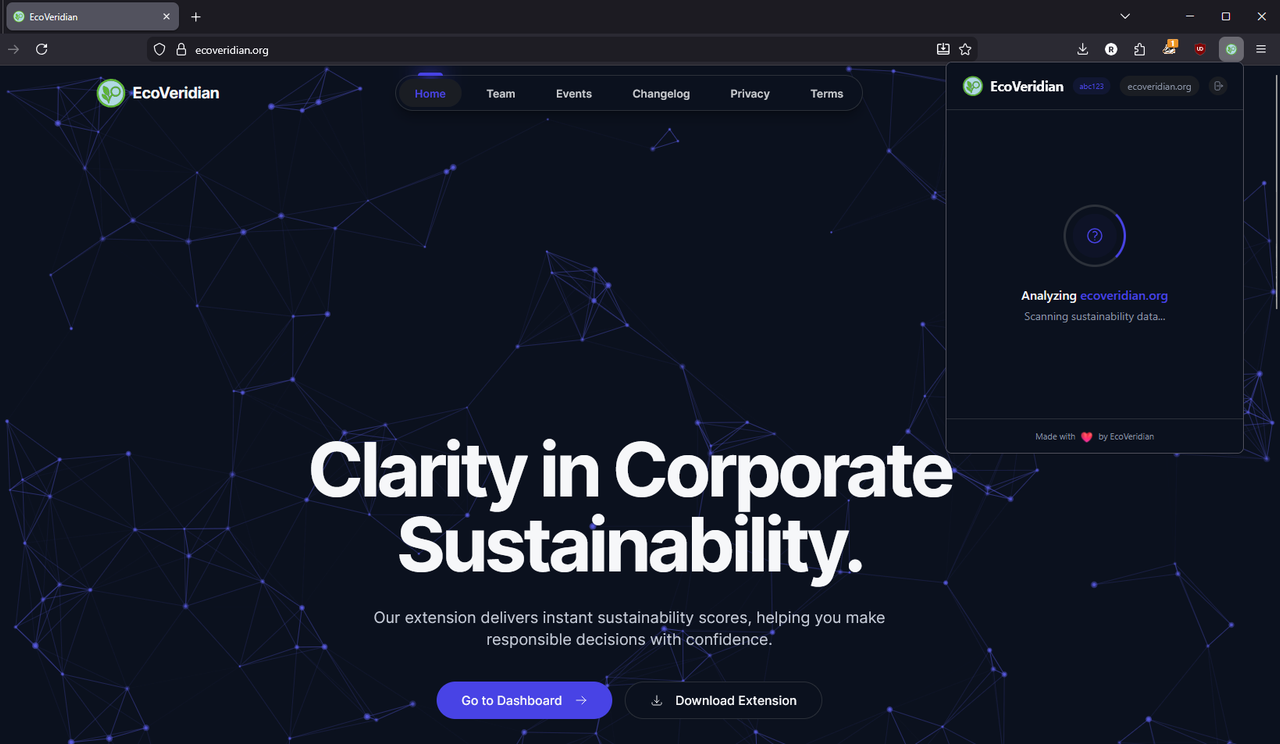
The thing is, I’m a Firefox user myself, and I wanted to be able to use the extension without switching browsers. So just a couple days after v1.0.0 went out, I started working on Firefox support.
It’s now “later,” and I’ve pushed full Firefox support to production. Along the way, I learned why Manifest V3 is a special kind of pain when you’re trying to support multiple browsers.
Here’s what happened.
The Firefox Problem (Cross-Browser Is Harder Than It Looks)
The original extension used Chrome Manifest V3 with externally_connectable to let the dashboard website talk directly to the extension. Perfect for Chrome. Dead on arrival for Firefox.
Firefox does not support externally_connectable. Web pages cannot message extensions directly. That's a hard blocker for the auto-sync login feature.
So I had two options:
- Remove the auto-sync feature for Firefox users
- Find a workaround that works cross-browser
Of course, I went with option 2.
Content Scripts and window.postMessage
The standard approach for page-to-extension communication is a content script that acts as a bridge. The webpage sends a message via window.postMessage(), the content script catches it, and relays it to the extension via runtime.sendMessage().
This is the officially documented pattern for cross-browser extensions, supported equally well by Chrome and Firefox.
Here's what I built:
// authBridge.ts - Content script loaded on ecoveridian.org
window.addEventListener("message", (event: MessageEvent) => {
  // Only accept messages from the same window
  if (event.source !== window) return;

  const data = event.data;
  if (!data || data.channel !== "ecoveridian-auth-sync") return;

  const authData = data.payload;

  // Relay to extension background script
  chrome.runtime.sendMessage(
    {
      type: "CONTENT_BRIDGE_SYNC_AUTH_TOKEN",
      token: authData.token,
      user: authData.user,
    },
    (response) => {
      // Post response back to webpage
      window.postMessage(
        {
          channel: "ecoveridian-auth-sync-response",
          payload: { requestId: authData.requestId, ...response },
        },
        window.origin
      );
    }
  );
});
The webpage (dashboard) triggers it like this:
// On the dashboard login page
window.postMessage(
  {
    channel: "ecoveridian-auth-sync",
    payload: {
      type: "SYNC_AUTH_TOKEN",
      token: authToken,
      user: userInfo,
      requestId: "req-" + Date.now(),
    },
  },
  window.origin
);

// Listen for the response
window.addEventListener("message", (event) => {
  if (event.source !== window) return;
  const data = event.data;
  if (data?.channel === "ecoveridian-auth-sync-response") {
    console.log("Auth sync response:", data.payload);
  }
});
Why this works cross-browser: window.postMessage() is the standard, documented pattern for page-to-content-script communication. Both Chrome and Firefox docs recommend this approach.
One Codebase, Two Manifests
I needed:
- One
manifest.json(Chrome) - One
manifest.firefox.json(Firefox) - One codebase that works for both
Vite doesn't natively handle multiple manifests. So I added a --mode flag:
npm run build:chrome  # vite build --mode chrome
npm run build:firefox # vite build --mode firefox
The vite config switches manifests based on mode:
const isFirefox = mode === "firefox";
const manifest = isFirefox ? firefoxManifest : chromeManifest;
const outDir = isFirefox ? "dist-firefox" : "dist";
Easy enough. But then I hit a problem.
Environment Variables and Build-Time Secrets
Another Firefox-specific thing: environment variables.
When I ran npm run build:firefox, Vite was looking for .env.firefox, which doesn't exist. My .env.production file wasn't being loaded because the build mode was "firefox," not "production."
So VITE_DASHBOARD_URL was undefined in the built bundle. The "Go to Dashboard" button opened a blank tab.
// Before (broken)
const DASHBOARD_URL = import.meta.env.VITE_DASHBOARD_URL; // undefined!
The fix: Explicitly load env variables in Vite config:
const envMode = process.env.NODE_ENV === "development" ? "development" : "production";
const env = loadEnv(envMode, process.cwd(), "");

// In define:
define: {
  "import.meta.env.VITE_DASHBOARD_URL": JSON.stringify(env.VITE_DASHBOARD_URL),
}
Now the dashboard URL is properly baked into both builds.
The Browser API Abstraction Layer
Early on, I had chrome.* calls scattered everywhere:
chrome.tabs.query({ active: true })
chrome.storage.local.get(key)
chrome.runtime.sendMessage(...)
When I added Firefox, I realized I needed an abstraction. Firefox uses browser.* instead of chrome.*, and there are subtle API differences.
So I built a thin wrapper:
// src/utils/browser.ts
export const browserAPI = typeof chrome !== "undefined" ? chrome : browser;
Boom. Now my code works on both:
// Works on Chrome and Firefox
browserAPI.tabs.query({ active: true, currentWindow: true })
browserAPI.storage.local.get([key])
browserAPI.runtime.sendMessage({ type: "...", payload: ... })
It's only 27 lines of code. But it saved me from rewriting hundreds of lines.
Testing on Actual Firefox
I'd been testing "Firefox support" against MDN docs. Very theoretical.
When I actually loaded the extension in Firefox it was a completely different story.
Issues that didn't show up in Chrome:
- Content script execution timing was off (I had to add
run_at: "document_start") - Service worker event listeners weren't catching messages (Firefox requires different listener registration)
- The popup didn't have permission to access
chrome.scripting.executeScript(Firefox handles permissions differently)
Real testing > theoretical testing. :(
What Broke Along the Way
-
The auth sync feature initially didn't work on Firefox – Message listeners weren't properly validating the source and channel. Fixed by following the postMessage pattern with proper event.source checks.
-
Environment variables weren't baking into the build – Spent an hour thinking Vite was broken before realizing my config was the problem.
-
Storage API differences – Chrome and Firefox handle
storage.localslightly differently. Had to normalize the API calls.
The Win :)
EcoVeridian now works on:
- Chrome (primary)
- Chromium-based browsers (Edge, Brave, Vivaldi, etc.)
- Firefox (new!)
Same codebase. One build pipeline. Two manifests (handled automatically).
The extension is now truly cross-browser. Users can switch from Chrome to Firefox and the extension works. Their auth syncs. Their history carries over.
AMO Submission Troubles
Getting the extension working was one thing. Getting it approved on AMO was a completely different problem.
I thought I was done. Extension built, tested, packaged. Upload to AMO, wait for approval, ship it. Easy, right?
Wrong.
Round 1: The Backslash Path
Invalid file name: assets\authBridge-mlRl3gsv.js
See that backslash? That's a Windows path separator. AMO requires Unix-style forward slashes (/) in ZIP files, even if you're building on Windows.
The problem? I was using PowerShell's Compress-Archive to create the ZIP, which preserves Windows path separators. Firefox's validator strictly rejects backslashes in ZIP entry names.
The fix: Switched to the archiver npm package, which properly normalizes paths to forward slashes regardless of the OS. Created a unified packaging script that reads the version from package.json and ensures all paths are Unix-style.
3 hours debugging ZIP internals. Fun times.
Round 2: The Missing package-lock.json
Second attempt. I thought I had everything. README? Check. Source code? Check. Build script? Check.
AMO review came back:
Unable to reproduce build. Missing package-lock.json.
The one file that locks exact dependency versions was missing.
Why? Because I was using npm workspaces. The parent directory had a package-lock.json, but the extension/ subdirectory didn't generate its own. Workspaces share a single lock file at the root.
Solution: Copied the workspace lock file to extension/package-lock.json before packaging the source. Rebuilt. Resubmitted.
Round 3: The innerHTML Warnings
Third attempt. Finally got past validation errors, but now:
2 warnings: Unsafe assignment to innerHTML
These warnings came from React's compiled bundle. React uses innerHTML internally for its virtual DOM rendering. It's in the minified react-dom production code, not my source.
I researched for hours. Turned out:
- These are expected warnings for React-based extensions
- They're warnings, not errors - non-blocking for approval
- Thousands of React extensions have identical warnings and are approved
- Attempting to "fix" them would mean abandoning React entirely
I left them. Included a note to reviewers explaining this is standard React behavior.
The Final Submission
After several attempts, multiple rebuilds, countless hours of reading Mozilla docs, and nearly giving up:
Validation passed. 0 errors. 2 warnings (React innerHTML - expected).
Total time from "Firefox support works" to "AMO submission accepted": 2 full days.
The Chrome Web Store was so much easier...
Firefox AMO has so many rules and restrictions...
But now it's live. EcoVeridian works on both browsers. Was it worth it?
Ask me after the first Firefox user review comes in. :)
Lessons Learned
-
Build for multiple targets early. Cross-browser support is way easier if you design for it from day one. Retrofitting it is painful.
-
Test on real browsers. MDN docs are useful. Actual testing, however, is most important.
-
Post-build hooks save the day. Vite plugins let me handle browser-specific quirks after the build runs, without duplicating code.
What's Next
Firefox support is live, but there's more to come:
- Safari – It's Manifest V3 compatible (mostly), but I need to test it
- Caching improvements – Right now I cache results for 30 days. Should make this smarter based on company size and industry volatility.
- API v2 – More granular scoring options, historical trend data
If you're using EcoVeridian on Firefox now and hit any bugs, let me know. Cross-browser support is weird, and I'm sure there are edge cases I missed.
The whole point of this tool is transparency. Whether that's transparency about companies or transparency about the messy realities of building extensions...